Tag: online banking

  • Mobile Banking Apps: How to Choose, Use, and Stay Safe

    Mobile Banking Apps: How to Choose, Use, and Stay Safe

    Mobile Banking Apps: How to Choose, Use, and Stay Safe

    Over 200 million Americans now use mobile banking — here’s how to get the most out of it without putting your money at risk.

    Why Mobile Banking Is Now the Default for Most Americans

    According to the Federal Reserve’s 2025 Consumer Finance Report, roughly 78% of US adults with bank accounts use mobile banking apps regularly. That’s a dramatic shift from just a decade ago, when most Americans still relied on branch visits and desktop banking portals.

    If you’re among the millions who’ve made the switch — or are thinking about it — mobile banking can genuinely simplify your financial life. But it also comes with real risks that most people underestimate.

    In this guide, you’ll learn how mobile banking apps work, what features actually matter, how to pick the right app for your situation, and — critically — how to protect your money from the threats that come with banking on your phone.

    Whether you’re managing everyday checking, monitoring savings, or running payroll for a small business, this guide gives you everything you need to bank smarter on mobile.

    What Mobile Banking Apps Are and How They Work

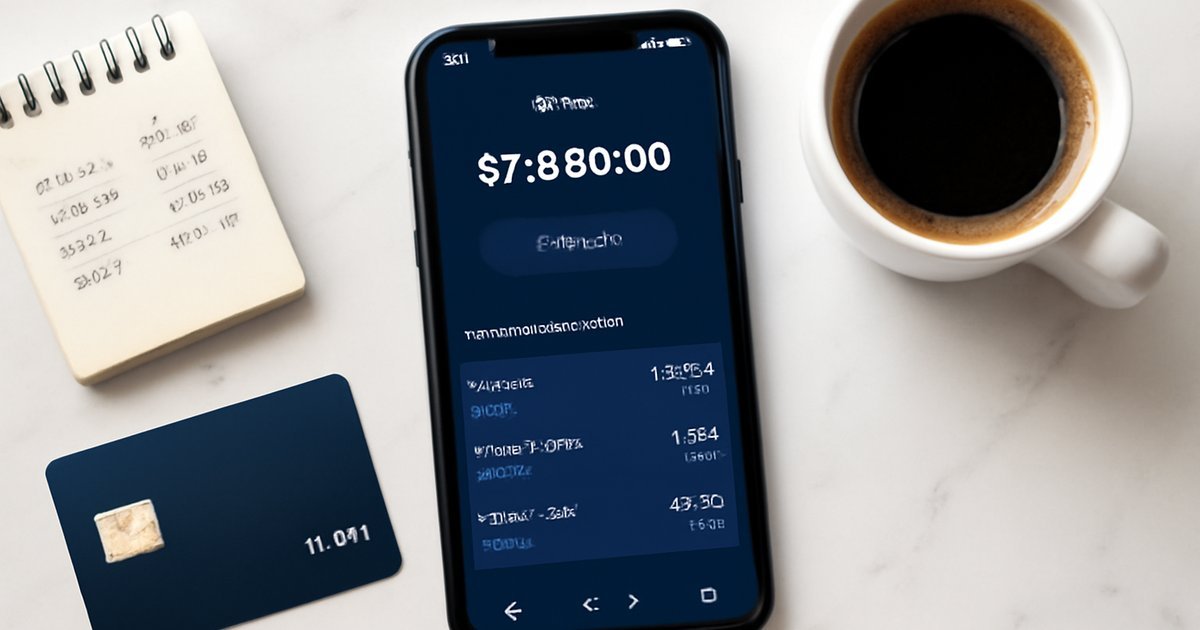
    A mobile banking app is a smartphone application offered by your bank or credit union that lets you access and manage your accounts from anywhere with an internet connection. Think of it as a portable branch — minus the teller lines.

    Most apps connect to your bank’s core banking system through encrypted APIs (application programming interfaces), allowing real-time data exchange between your phone and your financial institution. When you check your balance or transfer funds, the app communicates with your bank’s servers using the same level of security as your online banking portal.

    Here’s what a standard mobile banking app lets you do:

    • Check account balances and transaction history
    • Transfer money between accounts
    • Deposit checks via photo (mobile check deposit)
    • Pay bills and schedule recurring payments
    • Send and receive money via Zelle or other P2P platforms
    • Set spending alerts and account notifications
    • Lock or freeze a debit card instantly
    • Apply for loans, credit cards, or new accounts

    Premium apps from larger institutions like Chase, Bank of America, and Wells Fargo also offer budgeting tools, credit score monitoring, and investment dashboards — all within the same interface.

    Key Benefits of Using Mobile Banking Apps

    The Bankrate 2025 Banking Satisfaction Survey found that mobile app quality is now the number-one factor Americans consider when choosing a bank — ranking higher than physical branch locations for the first time ever.

    Here’s why that makes sense:

    Speed and convenience: You can deposit a check, pay a bill, and transfer $500 to savings in under three minutes — without driving to a branch or waiting on hold. For busy professionals and business owners, that time savings adds up fast.

    Real-time visibility: Fraud detection starts with you. When you can see every transaction the moment it posts, you catch unauthorized charges before they spiral. Many apps now send push notifications for every purchase over a certain dollar threshold.

    Fewer fees: Many online-first banks offer free checking, no overdraft fees, and no minimum balance requirements — and they pass those savings along because they don’t maintain expensive branch networks. Apps like SoFi, Chime, and Ally operate entirely or primarily through mobile platforms.

    Better interest rates: Online banks powered largely by mobile apps — such as Marcus by Goldman Sachs and Discover Bank — frequently offer higher-yield savings accounts than traditional brick-and-mortar banks, sometimes 10 to 15 times the national average APY.

    Small business efficiency: If you run a business, apps like Chase Business or Bluevine let you manage payroll, track expenses by category, and issue employee cards — all from your phone. That’s a genuine competitive advantage for solo operators and small teams.

    How to Choose the Right Mobile Banking App for Your Needs

    Not every app fits every situation. The right choice depends on your banking habits, financial goals, and tolerance for trade-offs. Here’s a step-by-step framework for making the decision:

    1. Identify your primary use case. Are you primarily managing a checking account for daily spending? Building savings? Running a side business? Your answer narrows the field significantly. A freelancer who needs invoicing and expense tracking has different needs than a retiree managing Social Security deposits.
    2. Prioritize FDIC insurance. Every legitimate US bank app should be backed by FDIC insurance, which protects deposits up to $250,000 per depositor, per institution. If an app isn’t from an FDIC-insured institution — or if it works through a third-party sponsor bank — confirm coverage before depositing serious money.
    3. Check app store ratings and reviews. Look for apps with 4.5 stars or higher across at least 100,000 reviews on both the Apple App Store and Google Play. Pay attention to complaints about login issues, failed transfers, and customer service responsiveness — these are the pain points that matter most when something goes wrong.
    4. Test the customer support options. Mobile-only banks can be great — until you have a problem and can’t reach a human. Before committing, check whether the bank offers 24/7 phone support, live chat, or local branches as a backup. The CFPB consistently identifies poor dispute resolution as a top complaint in digital banking.
    5. Compare fee structures. Look specifically for: monthly maintenance fees, out-of-network ATM fees, overdraft fees, wire transfer fees, and foreign transaction fees. Many apps now advertise "no fees" but bury exceptions in the fine print. Read the account agreement.
    6. Evaluate the security features. At minimum, your app should offer biometric login (fingerprint or Face ID), two-factor authentication (2FA), and real-time fraud alerts. We’ll cover security in more detail below — it’s the area most people underweight.
    7. Look at integration with your existing financial tools. If you use Mint, YNAB, TurboTax, or QuickBooks, confirm the app connects cleanly to those platforms. Manual data entry is where errors — and wasted hours — accumulate.

    Costs, Fees, and Risks You Need to Know

    According to the CFPB’s 2025 Banking Report, overdraft and non-sufficient funds (NSF) fees still cost American consumers approximately $9 billion per year — even as digital banking expands. Mobile apps haven’t eliminated fees; they’ve just made them easier to miss if you’re not paying attention.

    Here’s where the real costs hide:

    Out-of-network ATM fees: Even if your app has no monthly fee, withdrawing cash from an out-of-network ATM can cost $3 to $5 per transaction from your bank, plus an additional surcharge from the ATM owner. If you use cash regularly, look for banks with large ATM networks (Allpoint has over 55,000 locations) or ATM fee reimbursement policies.

    Instant transfer fees: Apps like Zelle are free for standard transfers, but some banks charge 1% to 1.5% for instant debit card transfers. If you’re moving money frequently, those percentages accumulate.

    Minimum balance penalties: Some traditional bank apps waive monthly fees only if you maintain a minimum balance — often $1,500 or more. Falling below that threshold can trigger a $12 to $25 monthly charge.

    Security and fraud risk: Mobile banking apps are a primary target for cybercriminals. The FBI’s 2025 Internet Crime Report noted a significant increase in mobile banking fraud schemes, including fake banking apps, SIM-swapping attacks, and phishing texts impersonating banks. If your account is compromised, Regulation E gives you federal protection — but only if you report unauthorized transactions within 60 days. After that, your liability exposure increases dramatically.

    Data privacy concerns: Banking apps collect significant behavioral data. Read the privacy policy to understand what your bank shares with third-party advertisers, and whether you can opt out.

    Common Mistakes to Avoid With Mobile Banking

    Even financially savvy users make these errors regularly:

    Using public Wi-Fi for banking. Logging into your bank app on an unsecured public network — at a coffee shop, airport, or hotel — exposes your session to potential interception. Always use your cellular data connection or a trusted VPN when accessing banking apps away from home.

    Skipping two-factor authentication. Many users disable 2FA because it adds a step to the login process. That’s a serious mistake. Two-factor authentication is your single most effective defense against unauthorized account access. If your bank offers it, enable it immediately — even if it’s inconvenient.

    Ignoring push notifications. Transaction alerts feel like clutter until someone charges $800 to your debit card and you don’t notice for three weeks. Turn on alerts for all transactions above a threshold you choose — even $1 — and review them daily. Catching fraud early is exponentially easier than disputing it after the fact.

    Not updating the app. Mobile banking apps release security patches regularly. Running an outdated version leaves known vulnerabilities open. Enable automatic updates for your banking app, or check manually at least once a month.

    Downloading apps from unofficial sources. Only download your bank’s app from the official Apple App Store or Google Play Store, and verify the developer name matches your bank exactly. Cybercriminals create near-perfect replicas of legitimate banking apps to harvest login credentials.

    Overlooking account linking risks. Connecting your banking app to third-party budgeting tools, payment apps, or fintech services shares your credentials or read access with those platforms. Use services that support tokenized access (like Plaid with read-only permissions) rather than entering your actual username and password into third-party sites.

    Alternatives to Consider Depending on Your Situation

    Mobile banking apps aren’t the right fit for everyone in every circumstance. Here are three alternatives worth considering:

    Credit unions with digital access: If you value personalized service and lower fees but still want a decent app, many credit unions now offer solid mobile platforms. Credit union members generally report higher satisfaction scores than big-bank customers, according to the 2025 American Customer Satisfaction Index. The trade-off: smaller ATM networks and sometimes less sophisticated app features.

    Traditional online banking portals: If you primarily bank from a desktop or laptop, a robust web portal may meet your needs without the security complexity of a mobile app. This can be a reasonable choice for retirees or people who do most of their banking at home. Just ensure the website uses HTTPS and your institution offers secure login with multi-factor authentication.

    Neobanks and fintech platforms: Apps like Chime, Current, and SoFi are built mobile-first and offer features traditional banks lag on — like early direct deposit (often two days early), automatic savings round-ups, and no overdraft fees. The trade-off is that most are not banks themselves; they partner with FDIC-insured sponsor banks. Confirm deposit insurance and understand the customer service limitations before switching entirely. You might also consider pairing a neobank app with a traditional account as a backup. For more on this, see our guide on High-Yield Checking Accounts: Earn More on Every Dollar.

    How to Stay Safe Using Mobile Banking Apps

    Security deserves its own section because the consequences of getting it wrong are severe. Here’s a practical security checklist every mobile banking user should follow:

    1. Enable biometric login (Face ID or fingerprint) — never rely on a simple 4-digit PIN alone
    2. Activate two-factor authentication through your bank’s security settings
    3. Set up real-time transaction alerts for all account activity
    4. Avoid banking on public Wi-Fi — use cellular data or a VPN
    5. Never click banking links in texts or emails; go directly to the app instead
    6. Review your account activity at least twice a week
    7. Report suspicious activity to your bank immediately and follow up in writing
    8. Use a unique, strong password for your banking app login — never reuse passwords

    The FDIC and CFPB both recommend keeping a record of your bank’s fraud hotline number saved in your phone — separate from the app — so you can report a compromise even if you’re locked out.

    Frequently Asked Questions About Mobile Banking Apps

    Are mobile banking apps safe to use?
    Generally speaking, yes — when used correctly. Legitimate banking apps from FDIC-insured institutions use bank-grade encryption and multi-layer security. The greatest risks come from user behavior: weak passwords, public Wi-Fi use, and clicking phishing links. Following the security practices outlined above dramatically reduces your risk.

    What happens if my phone is stolen and someone accesses my banking app?
    If your phone is protected with biometric lock or a strong PIN, unauthorized access is difficult. Contact your bank immediately to freeze the account and change your credentials. Under Regulation E, you’re protected from unauthorized electronic fund transfers if you report them promptly — within two business days for minimum liability exposure.

    Can I deposit a check using a mobile banking app?
    Yes. Mobile check deposit is a standard feature across nearly all major banking apps. You photograph the front and back of the check within the app. Funds are typically available within one to two business days, though banks may hold larger amounts for up to five business days under Regulation CC rules.

    Is my money FDIC insured if I use a neobank app?
    It depends. If the neobank partners with an FDIC-insured bank — which most legitimate ones do — your deposits are insured up to $250,000. Always confirm coverage by checking the FDIC’s BankFind tool at fdic.gov before depositing significant funds into a newer fintech platform.

    Can I use a mobile banking app for my small business?
    Absolutely. Many major banks offer dedicated business banking apps with features like invoicing, expense categorization, and multi-user access. For more on this, see our guide on Bank Fees: What They Cost You and How to Avoid Them to understand which fees to watch for in business accounts. If you’re also building an emergency reserve for your business, our Emergency Fund guide applies to business owners as much as individuals.

    The Bottom Line on Mobile Banking Apps

    Mobile banking apps have transformed how Americans manage money — offering speed, convenience, and financial visibility that simply weren’t possible a generation ago. For most people, the right app can save time, reduce fees, and catch fraud before it becomes a crisis.

    But the best app in the world won’t protect you if you skip the security basics. Enable two-factor authentication today. Set up transaction alerts. Bank on your cellular connection, not public Wi-Fi.

    If you’re still relying entirely on branch visits or a desktop-only setup, it’s worth testing your bank’s mobile app this week — most have improved dramatically in recent years. And if your bank’s app consistently earns poor reviews or lacks key security features, that’s a legitimate reason to consider switching institutions.

    Take one step today: log into your bank’s app, review the security settings, and turn on transaction notifications. That single action reduces your fraud exposure significantly.


    Financial Disclaimer: This article is for educational purposes only and does not constitute financial, tax, or investment advice. Always consult a licensed financial advisor, CPA, or attorney before making financial decisions.
  • Checking Accounts: How to Choose the Best One

    Checking Accounts: How to Choose the Best One

    Checking Accounts: How to Choose the Best One for Your Money

    The average American pays over $200 a year in unnecessary checking account fees — here’s how to stop that and find an account that actually works for you.

    Introduction

    According to a 2025 Bankrate survey, nearly 1 in 4 Americans is paying monthly maintenance fees on their primary checking account — fees that can quietly drain $100 to $300 or more from their balance every year. That’s money that could be growing in a savings or investment account instead.

    A checking account is the financial hub of your daily life. It’s where your paycheck lands, where your bills get paid, and where your debit card draws from every time you swipe. Yet most people open one without really comparing their options — and end up stuck with an account that costs them more than it should.

    In this guide, you’ll learn exactly how checking accounts work, what features actually matter, how to compare your options, and what common mistakes to avoid. Whether you’re thinking about switching banks or opening your first account, this breakdown will help you make a smarter decision for your financial life.

    What Is a Checking Account and How Does It Work?

    A checking account is a type of bank deposit account designed for everyday transactions. Unlike a savings account — which is meant to hold money over time — a checking account is built for frequent use: deposits, withdrawals, bill payments, and debit card purchases.

    When you deposit money into a checking account, the bank holds it and makes it available for you to spend. Most checking accounts come with a debit card tied directly to your balance, as well as the ability to write checks, set up direct deposit, and pay bills electronically through ACH transfers.

    The Federal Reserve’s 2024 Payments Study found that debit card transactions now account for more than 40% of all non-cash payments in the United States — making the checking account one of the most-used financial tools in the country.

    In most cases, checking accounts are insured by the FDIC (Federal Deposit Insurance Corporation) up to $250,000 per depositor, per bank. That means even if your bank fails, your money is protected up to that limit. You can learn more about how this works in our guide to FDIC Insurance: How Your Bank Deposits Are Protected.

    There are several types of checking accounts available to US consumers, including:

    • Traditional checking accounts — Offered by major banks and credit unions, usually with a branch and ATM network.
    • Free checking accounts — No monthly fee, though they may have fewer features.
    • Interest-bearing checking accounts — Pay a small amount of interest on your balance, though rates are typically low.
    • Online checking accounts — Offered by online-only banks, often with lower fees and higher perks.
    • Student or second-chance checking accounts — Designed for those just starting out or rebuilding after banking problems.

    Key Benefits of Choosing the Right Checking Account

    Choosing the right checking account isn’t just about avoiding fees — though that matters a lot. The right account can actively make your financial life easier and even help you build better habits.

    No monthly maintenance fees. According to Bankrate’s 2025 checking account survey, the average monthly maintenance fee at traditional banks is $15.33 — that’s $183.96 a year just to keep your account open. Many online banks and credit unions offer accounts with zero monthly fees and no minimum balance requirements.

    ATM access and reimbursements. If you use cash regularly, ATM access matters. Some online banks reimburse out-of-network ATM fees up to $10 to $15 per month, which can be a real advantage if you’re not near your bank’s ATMs.

    Overdraft protection options. Many banks now offer overdraft protection that links your checking account to a savings account or credit line — preventing declined transactions or bounced checks. Some online banks have even eliminated overdraft fees entirely.

    Early direct deposit. Several online banks and fintech-backed checking accounts allow you to receive your paycheck up to two days early when you set up direct deposit. For people living paycheck to paycheck, that timing can make a real difference.

    Cash back and rewards. A growing number of checking accounts now offer cash back on debit card purchases — typically 1% — which adds up over time for everyday spending.

    How to Choose a Checking Account: Step-by-Step

    Finding the right checking account comes down to matching the account’s features to how you actually use money. Here’s a practical approach:

    1. Audit your current banking habits. Do you use cash often or prefer card? Do you need in-person branch access? Do you frequently have a low balance? Honest answers here will narrow your options fast.
    2. Identify the fees you’re currently paying. Pull up three months of bank statements and add up every fee: monthly maintenance, ATM, overdraft, paper statement fees. That total is what you’re trying to eliminate or reduce.
    3. Decide whether you need a physical branch. If you often deposit cash or need in-person help, a traditional bank or credit union makes sense. If you’re comfortable banking digitally, an online bank will usually offer better terms.
    4. Compare minimum balance requirements. Some accounts waive monthly fees only if you maintain a minimum daily balance — often $1,500 to $2,500. If you can’t consistently meet that threshold, look for accounts with no minimum requirement.
    5. Check the ATM network. Look for banks with large ATM networks (Allpoint and MoneyPass have tens of thousands of locations across the US) or those that reimburse ATM fees.
    6. Review overdraft policies. The Consumer Financial Protection Bureau (CFPB) has pushed banks to reduce overdraft fees in recent years. Many banks now cap fees or offer opt-in overdraft protection. Understand what happens if you spend more than your balance before you open the account.
    7. Consider additional features. Zelle integration, mobile check deposit, bill pay, budgeting tools, and early direct deposit are all features worth comparing — especially if you rely on your bank’s app daily.
    8. Open and set up direct deposit. Once you’ve chosen an account, link your employer’s payroll system to the new account and move your automatic bill payments over. Most banks provide a pre-filled direct deposit form to make this easier.

    Costs, Fees, and Risks to Watch For

    Even accounts advertised as "free" can come with hidden costs. Here’s what to read carefully before you commit:

    Monthly maintenance fees. As noted earlier, these average over $15/month at major banks. They’re often waivable — but only if you meet requirements like maintaining a minimum balance or having direct deposit set up.

    Overdraft fees. Historically, overdraft fees averaged around $35 per transaction. While regulatory pressure has pushed many banks to lower or eliminate these fees, some traditional banks still charge them. Always ask about the overdraft policy upfront.

    Out-of-network ATM fees. These typically run $2.50 to $5 per transaction — and that’s on top of what the ATM operator charges. If you use cash frequently, this can add up to $100 or more per year.

    Minimum balance fees. Some accounts charge a separate fee if your daily balance falls below a set threshold — even if you already paid the monthly maintenance fee. Read the fee schedule carefully.

    Wire transfer fees. Sending or receiving domestic wire transfers typically costs $15 to $30 per transaction at traditional banks. If you make frequent transfers, look for accounts that reduce or waive these costs.

    Account closure fees. Some banks charge a fee if you close an account within 90 to 180 days of opening it. If you’re switching banks, be aware of this before you make the move.

    Risk of ChexSystems reports. If you’ve had past banking issues — overdrafts left unpaid, accounts closed for cause — your record may appear in ChexSystems, a banking reporting system similar to a credit report. This can make it harder to open new accounts. Second-chance checking accounts are designed specifically for people in this situation.

    Common Mistakes to Avoid When Opening a Checking Account

    Even financially savvy people make avoidable mistakes when it comes to their checking account. Here are the most costly ones:

    Mistake 1: Ignoring the fee schedule. Banks are legally required to disclose their fees, but that doesn’t mean they make it easy to find them. Many people open accounts without ever reading the full fee schedule and end up surprised by charges they didn’t expect. Always ask for — or look up — the complete fee disclosure before opening any account.

    Mistake 2: Not setting up direct deposit to waive fees. Most major banks waive their monthly maintenance fee if you have direct deposit into the account. But many customers skip this step and keep paying the fee unnecessarily. If your employer offers direct deposit, linking it to your checking account is almost always worth doing.

    Mistake 3: Keeping too much money in a non-interest-bearing checking account. Your checking account is a spending account — not a savings vehicle. Keeping $20,000 in a checking account that earns 0% interest while high-yield savings accounts are paying 4% or more (as of recent Federal Reserve rate environments) means you’re leaving real money on the table.

    Mistake 4: Opting into overdraft coverage without understanding the cost. When you opt into overdraft coverage, the bank processes transactions even when you don’t have enough funds — and charges you a fee. For many people, having the transaction declined is a better outcome than paying a $35 overdraft fee. Know what you’re agreeing to.

    Mistake 5: Ignoring smaller banks and credit unions. Many consumers default to the biggest national banks out of familiarity, but credit unions and regional banks frequently offer better terms — lower fees, better customer service, and more flexibility. Membership requirements for credit unions have also become much easier to meet in recent years.

    Alternatives to a Traditional Checking Account

    If a standard checking account doesn’t fit your needs, there are a few alternatives worth considering:

    1. Online bank checking accounts. Banks like Ally, SoFi, and Discover offer checking accounts with no monthly fees, no minimum balance requirements, and sometimes interest on your balance. The main tradeoff is no physical branch access and — depending on the bank — limited cash deposit options. For most people who live digitally, this is the best all-around option.

    2. Credit union share draft accounts. These are the credit union equivalent of a checking account. Credit unions are member-owned nonprofits, which means they typically charge lower fees and offer better interest rates than for-profit banks. The National Credit Union Administration (NCUA) insures deposits up to $250,000 — the same as the FDIC. You can find a credit union at MyCreditUnion.gov.

    3. Prepaid debit cards. If you don’t qualify for a traditional checking account — or prefer to limit spending to what you’ve loaded — a prepaid debit card can serve as a functional alternative. They don’t build credit history and may charge reload fees, but they’re accessible to nearly anyone. This is a common choice for people working to rebuild their banking history before qualifying for a standard account.

    If you’re managing a money market account alongside your checking, it’s worth understanding how those work too. Our guide on Money Market Accounts: How They Work and Are They Worth It? breaks down the key differences and when each makes sense.

    Frequently Asked Questions

    Q: How many checking accounts should I have?
    Most people do fine with one primary checking account for daily spending and one savings account for goals and emergencies. Some people open a second checking account to separate business and personal spending, or to use a different bank’s ATM network. Generally speaking, more than two checking accounts can create confusion without adding much benefit.

    Q: Can I open a checking account with bad credit?
    Yes — most banks don’t pull your credit report when you apply for a checking account. However, they may check ChexSystems, which tracks past banking problems. If you’ve had unpaid overdrafts or accounts closed for cause, you may be denied. Second-chance checking accounts are specifically designed to help people in this situation get back into the banking system.

    Q: Is my money safe in a checking account?
    In most cases, yes. As long as your bank is FDIC-insured — and the vast majority of US banks are — your deposits are protected up to $250,000 per depositor, per bank, per ownership category. Credit union accounts are insured by the NCUA under the same $250,000 limit. To verify your bank’s insurance status, use the FDIC’s BankFind tool at fdic.gov.

    Q: What’s the difference between a checking account and a savings account?
    A checking account is designed for frequent transactions — daily spending, bill payments, and payroll. A savings account is designed to hold money you don’t plan to spend immediately, and it typically earns interest. The IRS and Federal Reserve don’t limit how many transactions you can make from a checking account, but savings accounts were historically limited to six withdrawals per month (a rule the Fed suspended in 2020, though some banks still apply it).

    Q: How do I switch checking accounts without missing bill payments?
    The key is to run both accounts in parallel for at least 30 days. Open the new account, set up direct deposit, then gradually move your automatic payments over one by one. Once all payments have successfully cleared from the new account for at least one billing cycle, you can safely close the old one. Many banks now offer account-switching services that help automate this process.

    Conclusion

    Your checking account is the financial center of your daily life — and choosing the wrong one can silently cost you hundreds of dollars every year in unnecessary fees. The good news is that better options exist at nearly every income level and banking preference.

    Start by auditing what you’re currently paying in fees. Then compare two or three alternatives — whether that’s an online bank, a credit union, or a no-fee checking account at a traditional bank. Pay attention to the overdraft policy, ATM access, and minimum balance requirements before you commit.

    If you’re also thinking about where to keep savings you don’t need to access daily, pairing your checking account with a high-yield savings account or money market account can make your money work harder. And if you’re planning longer-term, accounts like a Roth IRA can complement your banking strategy for retirement goals.

    The right checking account won’t make you rich — but the wrong one will quietly make you poorer. A few hours of research now can save you real money for years to come.

    This article is for educational purposes only and does not constitute financial, tax, or investment advice. Always consult a licensed financial advisor, CPA, or attorney before making financial decisions.